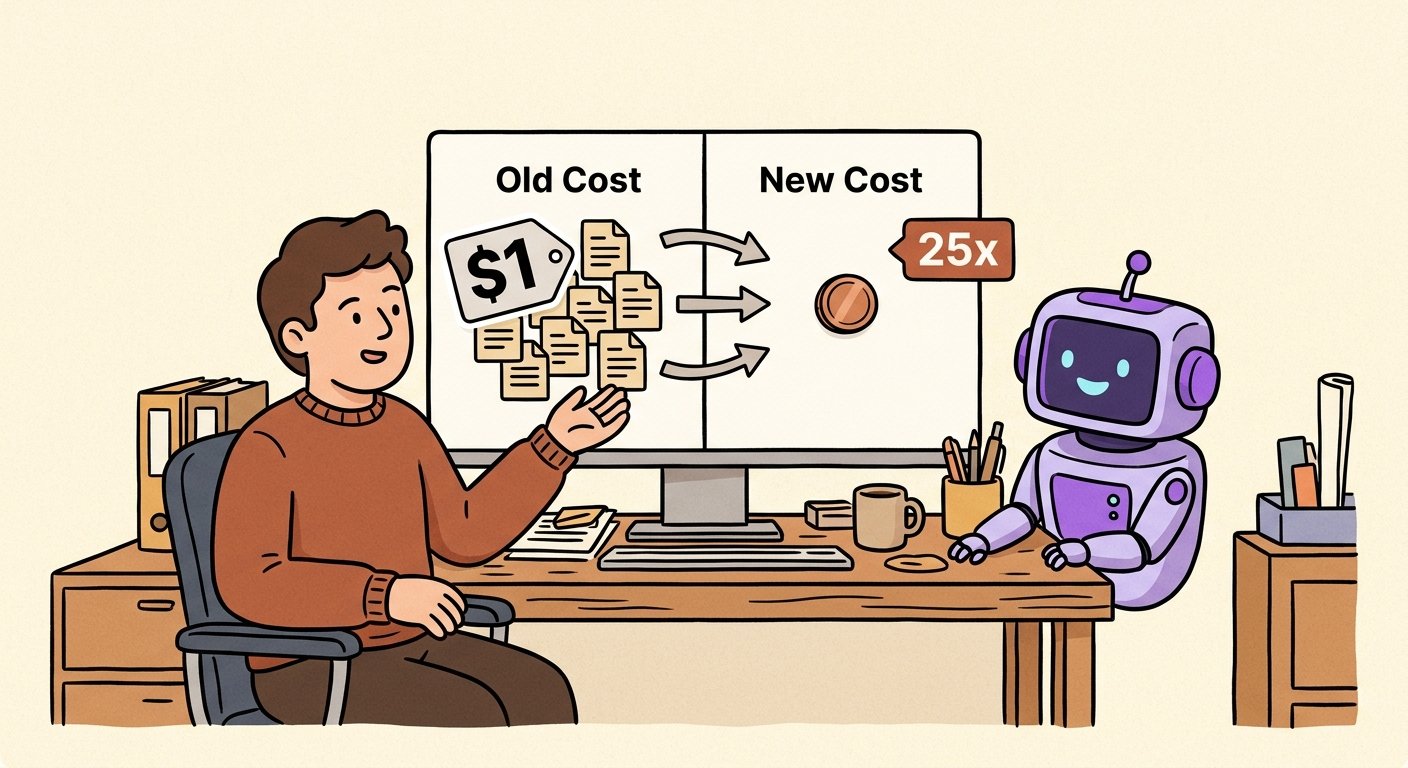
GPT-5.6 just made advanced reasoning 25x cheaper. Here's the SMB playbook.
OpenAI's GPT-5.6 lineup drops per-reasoning cost by up to 25x while outperforming GPT-5.5. For SMB teams running AI in sales, ops, and support, that's a margin shift, not a press release. Here's how to put it to work this quarter.
Last week OpenAI shipped GPT-5.6 — and the headline isn't the benchmark. It's the price tag. GPT-5.6 Luna outperforms GPT-5.5 at its highest reasoning setting while costing roughly 25x less per unit of work. That's not a marketing claim about model quality. It's a re-pricing of the most expensive layer in the AI stack.
For SMB teams running real AI workflows in sales, ops, marketing, and support, that single line shifts the math on what was previously a "maybe next year" conversation into a "this quarter" decision.
Here's how to think about it, and what to actually do.
What changed, in plain business terms
OpenAI didn't just ship a faster model. They shipped a re-priced tier: the same class of reasoning that used to be the budget-killer of any AI workflow is now within reach of teams whose finance lead would have vetoed it six months ago.
For an operations team running AI on every inbound lead, every support ticket, every weekly status update, the cost-per-task was the gating factor. If reasoning cost a dollar and a human cost twenty cents, the automation wasn't a win. Now that the same reasoning costs roughly four cents, the automation is obviously cheaper, faster, and more consistent than the human fallback.
The 25x number isn't a marketing slogan. It's the difference between a workflow that loses money and a workflow that pays for itself on day one.
The three SMB workflows where this changes the answer
The shift shows up fastest in workflows where you previously had to ration the use of high-end reasoning. Three patterns stand out.
1. Inbound sales triage and lead enrichment
The classic pattern: every form fill gets a quick research pass, then a personalised first response. Most teams have settled for a cheap model with mediocre research and a templated reply, because running a top-tier reasoning pass on every inbound was unaffordable.
GPT-5.6 changes the default. The cost-per-lead is now low enough that you can run deep research plus a tailored opener on every inbound — and still beat the cost of a human BDR spending ten minutes per lead on the same work. Teams currently spending $0.40 to $1.20 per lead on this layer should expect a 70–90% drop in that line item.
2. Customer support deflection and tier-one resolution
Support teams have been stuck in a similar place. The cheap models handle "where's my order" fine, but anything requiring the model to actually read the customer's account, the related tickets, and the relevant knowledge base used to require the expensive tier, which made full automation uneconomic for most SMBs.
GPT-5.6 puts that combined reasoning into the same cost band as the "where's my order" task. Expect automated resolution rates to climb from the 30–45% range most SMBs are stuck at into the 55–70% range — without adding headcount.
3. Marketing ops: research-driven content briefs
For agencies and in-house marketing teams, the AI workflow that hurts most is the one that turns a vague brief into a structured outline grounded in real research. The old economics forced you to either under-research and ship generic, or to spend an analyst's morning on every brief.
Cheaper reasoning inverts that. You can now have AI run the research-and-synthesis pass on every brief, every week, with a human reviewer spending fifteen minutes instead of two hours. For agencies with ten clients, that's meaningful margin recovery on retainer work.
The CFO question: where does the savings actually go?
The instinct in most finance reviews is to treat the 25x cost drop as a budget cut. That misses the point. The right move is to treat it as a capability expansion inside the same budget envelope.
Three places to redirect the savings:
- Volume. Run the same workflows on more inputs. Every inbound, every ticket, every brief — instead of rationing.
- Depth. Add the harder reasoning tasks you previously skipped: contract review, competitive teardowns, churn analysis, full-funnel attribution. These used to be "ask a consultant" problems; they're now in-band for an SMB AI agent.
- Latency. Move from async batch workflows to real-time agentic workflows. A sales agent that responds to a lead within thirty seconds converts better than one that responds in four hours, and cheaper reasoning makes the always-on path viable.
The teams that win the next two quarters are the ones who use the savings to do more, not to do the same for less.
What to actually do this week
If you run an SMB AI stack today — or you're about to — three concrete steps:
1. Recompute your cost-per-workflow spreadsheet. Take the workflows you currently run on GPT-class or comparable models, multiply the per-task cost by the new price, and look at the bottom line. Most teams will find 3–6 workflows where the economics just flipped from "human is cheaper" to "AI is cheaper, and by a lot."
2. Audit your agentic latency. Anywhere you have a "wait for a human" step because the AI step was too expensive to run at full depth — that step is now a candidate for end-to-end automation. Map them, pick the top three by volume, ship a pilot this week.
3. Pick one workflow to expand depth. Don't just rerun the same shallow tasks cheaper. Pick one workflow where you previously settled for shallow because reasoning was expensive — sales research, contract review, churn diagnosis, anything — and rerun it at full depth on a 50-sample audit. Compare the output quality to what your team is producing manually. The gap is your next quarter's ROI.
The bottom line
GPT-5.6 isn't a press release. It's a re-pricing of the most expensive layer in the AI stack, and the teams that move first will compound the advantage for at least two quarters. The math is simple: cheaper reasoning per task means more tasks, deeper tasks, and faster tasks at the same budget. The hard part isn't the cost. It's picking which workflows to upgrade.
That's the work. The tooling is ready.

Conversational Patient Intake in Real Clinics: What The Lancet Study Teaches Practice Operators

Vertical AI is moving from dashboards to doing the work: what an AI property manager shows operators